Roundup · September 2026 · 7 min read
The best iPad journaling app with Apple Pencil, by how you write
Six apps can hold a journal on an iPad, and they're built for different ways of journaling. The right one depends on whether you write by hand, type, decorate, or plan.
Disclosure: Penjo is our product. We've tried to be fair to the other five; where one of them is the better choice for how you journal, the post says so.
Type "best iPad journaling app" into a search box and you'll get lists that rank apps as if everyone journals the same way. A person who fills pages in their own handwriting, a person who types three lines before bed, and a person who builds sticker spreads are all "journaling", and they need three different apps. So instead of one winner, here's which app fits which way of writing.
The short version
| App | Journaling style | Apple Pencil role | Structure | Calendar and reminders |
|---|---|---|---|---|
| Apple Journal | Casual reflection, prompts | Supported since iPadOS 26 | Scrolling feed of entries | Not shown |
| Penjo | Handwritten daily journal + planner | The primary input | Dated day-pages, week/month/year views | On every day-page |
| Day One | Typed entries, photos, metadata | Secondary (sketches) | Timeline of entries | No |
| GoodNotes | Freeform notebooks, templates | The primary input | Blank or PDF-template notebooks | No |
| Zinnia | Decorated spreads, stickers | Drawing and lettering | Planner templates and spreads | No |
| Penbook | Stationery-style notebooks | The primary input | Preset paper and planner layouts | No |
Apple Journal: the free default
Apple's own Journal ships with every iPad, costs nothing, and does reflection well: it suggests moments to write about from your photos, workouts and places, and since iPadOS 26 it takes Apple Pencil handwriting directly. If journaling for you is an occasional entry, it's a good answer at no cost.
The catch is the shape: entries live in a scrolling feed, not on dated pages. There's no sense of today's page, no calendar or reminders in view, and no planner anywhere. Apple built a diary, not a place to organize your day.
Choose Apple Journal if
you journal occasionally, like prompts, and want zero cost and zero setup.
Penjo: a handwritten journal that carries your day
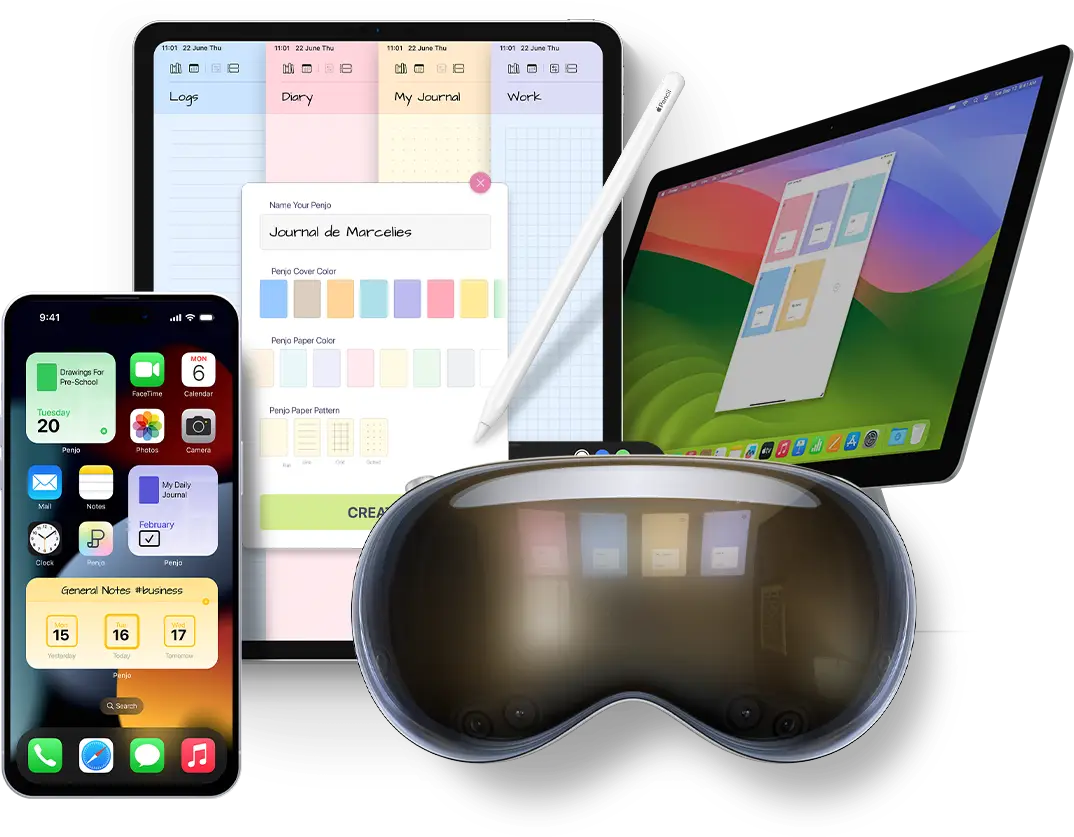
Penjo is built around one idea: the day-page. Every date gets a page you write on in your own handwriting, and the page holds the day itself: calendar events, reminders, a habit grid, photos, maps and drawings. The calendar and reminder integration goes further than any other app on this list: your Apple Calendar events (including Google and Exchange accounts) and your Reminders lists sit on the page you write on, and you can add new events and reminders without leaving the journal. Week, month and year views turn the same journal into a planner; the year view fills with a dot for every day you wrote.
Handwriting is recognized on-device, so a search finds words you wrote with the Pencil years ago. There are apps for iPhone, iPad, Mac and Apple Vision Pro. It is Apple-only, though: if you need Android or Windows, Day One or a notes app will serve you better. The free tier covers 3 journals with 14 daily entries each, with unlimited pages per entry; sync, calendar integration and unlimited journals are part of Penjo Unlimited ($2.99/month, $19.99/year, or $39.99 lifetime).
Choose Penjo if
at least half of what you'd put in a journal is handwritten, and you want the journal and the day's plan on one page.
Day One: the standard for typed journaling
Day One has earned its reputation over a decade: fast typed entries, strong photo handling, rich metadata (location, weather, music), and apps well beyond Apple's platforms. If your journal is written on a keyboard, including the iPad's, it remains the app to beat. There is a free tier; the full experience is a subscription.
You can add handwriting and sketches, but the writing experience is built around text.
Choose Day One if
you type your entries and want them everywhere.
GoodNotes: a notebook, not a journal
GoodNotes is one of the best handwriting canvases on the iPad, and plenty of people journal in it using imported PDF planner templates. The handwriting recognition and search are excellent. But it's a general notebook: dates, prompts, structure and calendar context are things you build or buy as templates, not things the app knows about. Every new year means finding a new template. There is a free tier; the full version is paid.
Choose GoodNotes if
you want a freeform handwriting notebook and are happy to bring your own journal structure.
Zinnia: journaling as a craft project
Zinnia treats the page as a creative canvas: stickers, washi tape, templates, lettering. For the bullet-journal and scrapbooking community it's a favorite, and the Pencil is central to it. If decorating the spread is half the point of journaling for you, it's the strongest option on this list. The full sticker and template library is a paid upgrade.
Choose Zinnia if
you decorate your journal as much as you write it.
Penbook: preset stationery
Penbook is about the paper: a large library of preset layouts (planners, trackers, staff paper, graph paper) that you write on with the Pencil. It sits between GoodNotes' blank freedom and Penjo's structured day-page: more structure than a blank notebook, less awareness of your actual calendar and days. It's free to try, with a paid upgrade for the full library.
Choose Penbook if
preset paper styles matter more to you than dated structure or search.
The decision rule
Strip away the feature tables and it comes down to how the words get onto the page:
- You type → Day One, or Apple Journal for free.
- You write by hand, freeform → GoodNotes, or Penbook for prettier paper.
- You decorate → Zinnia.
- You write by hand and want each day to be a page, with your calendar, reminders and habits on it → that's what Penjo is built for.
And if you're torn between Penjo and Apple Journal specifically, we wrote a detailed comparison of the two.
Questions and answers
What is the best journaling app for iPad with Apple Pencil?
It depends on how you journal. For handwritten daily entries on a dated page with your calendar in view, Penjo is built exactly for that. For typed journaling with photos, Day One leads. For a freeform handwriting notebook, GoodNotes. For casual, free reflection, Apple Journal ships with iPadOS.
Is Apple Journal good enough on iPad?
For casual reflection, yes. It is free, built in, and since iPadOS 26 it supports Apple Pencil handwriting. It organizes entries as a scrolling feed rather than dated day-pages, and it does not show your calendar or reminders on the page.
Can GoodNotes be used as a journal?
Many people journal in GoodNotes with imported PDF planner templates. It is a general handwriting notebook, so dated structure, prompts, and calendar context have to be brought in manually or bought as templates.
Which iPad journaling apps search handwriting?
GoodNotes and Penjo both recognize handwriting so entries can be found by search. Penjo runs its handwriting recognition on-device and searches across all journals.
Is there a journaling app that is also a planner?
Penjo combines both: each dated day-page takes handwritten journaling and shows calendar events and reminders alongside, with week, month, and year views for planning.
Checked against current App Store listings and shipping app versions on 1 September 2026.
Free tier: 3 journals, 14 daily entries, unlimited pages, handwriting search. No account required.