Comparison · May 2026 · 6 min read
Penjo vs. Apple Journal: an alternative for handwritten daily journaling
Penjo and Apple Journal both ship on iPhone, iPad and Mac, and they're built for very different ways of journaling. Here's how to tell which one fits how you write.
Disclosure: Penjo is our product. We've tried to be fair to Apple Journal; where it's the better choice, the post says so.
Apple Journal opens on a feed of past entries you scroll through. Penjo opens on today's dated page, with your calendar already on it. They both ship on iPhone, iPad and Mac, but they're not the same kind of app.
Apple Journal is built around a chronological feed of entries, prompted by Suggestions from photos, music, workouts and locations. Penjo is built around a pencil-first day page: a free-form canvas where you can write, sketch, plan, and see calendar events and reminders, then find entries later through handwriting search, week and month thumbnails, the year-view streak map, or a list view.
The same page also takes typed text, photos, shapes, map cards, and Apple Journaling Suggestions when you want more than handwriting.
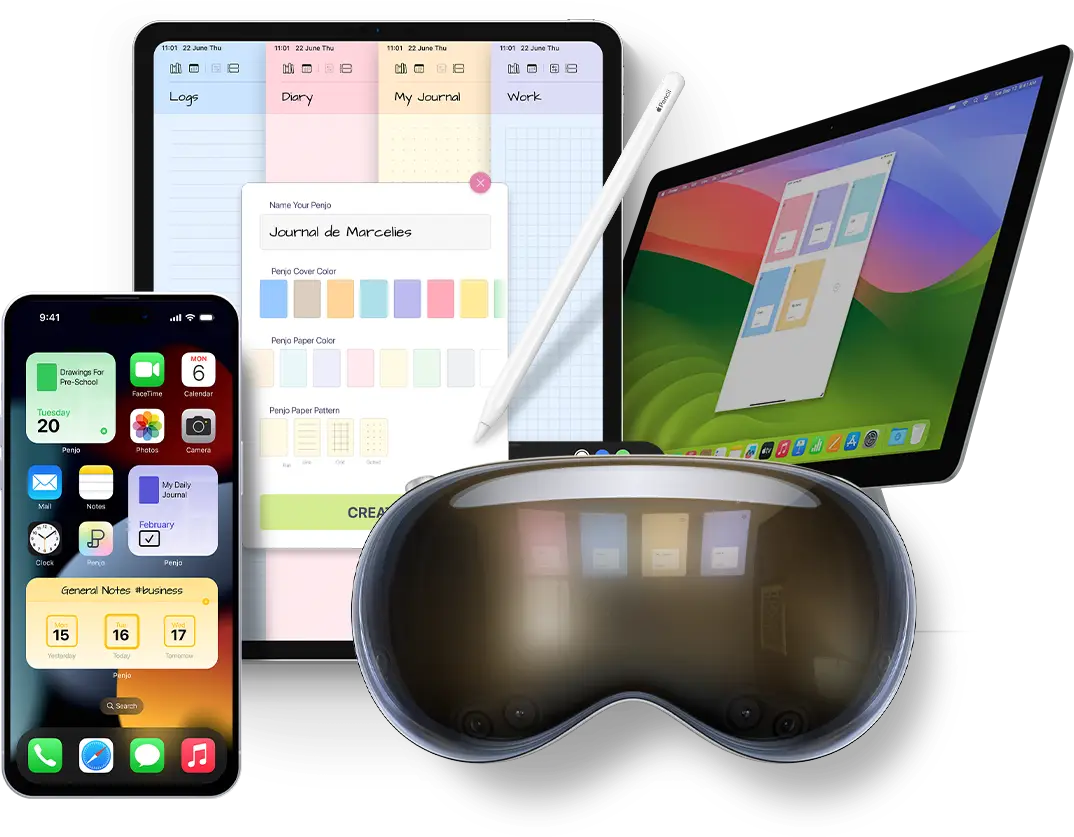
Apple Journal ships preinstalled on iPhone, and arrived on iPad and Mac with iPadOS 26 and macOS Tahoe. The iPad version added Apple Pencil handwriting with Auto-Refine and Scribble conversion to typed text, alongside the existing Journaling Suggestions feed of photos, music, workouts and locations the system surfaces as writing prompts. Penjo runs on iPhone, iPad, Mac and Apple Vision Pro.
Where Penjo wins
A journal that also plans your day
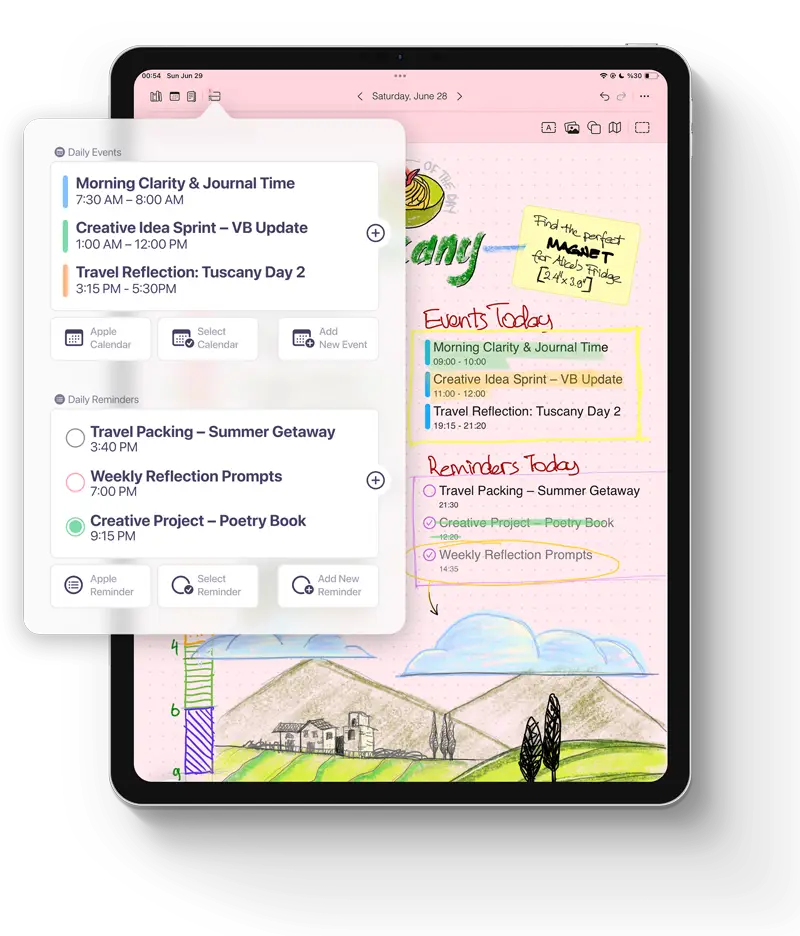
Penjo's day-sheet is a journal page first: dated, free to write on, structured around the day. Your Apple, Google or Exchange calendar events, your Reminders, and a habit grid sit on that same page, so the day's context is already there when you write. Week and month views show thumbnails of every day's entry; the year view turns the whole year into a streak map of which days you wrote on. If you like reflecting on what happened and planning what comes next on the same page, Penjo keeps both parts of the day together.
A page built for handwriting
Apple Journal now supports Pencil handwriting on iPad, with Auto-Refine and Scribble conversion to typed text. The difference in Penjo is how the page itself is built. In Apple Journal, handwriting lives inside the typed-entry flow as a drawing canvas. In Penjo, the dated day-sheet is the writing surface: a real journal page that happens to have your calendar events, reminders and habit grid laid out around the writing area. You write in the journal, and the day's context is already on the page.
Every handwritten word is OCR'd on-device, so a search for dentist surfaces a scrawled note from months back whether or not you ran it through Scribble.
A few smaller wins
Per-journal Face ID, so a work journal can stay sealed
while a gratitude journal stays open. (Apple Journal
supports multiple journals too, but locks at the app
level.) Paper types, cover colors and dark-mode page
textures, so the page itself can match the kind of
journal. Years of entries leave the app whole: PDF export
for sharing, an open .penjo file for keeping.
Apple Image Playground inside an entry. Vision Pro
support, which Apple Journal still doesn't have.
Free tier: 3 journals, 14 daily entries, unlimited pages, handwriting search. No account required.
Where Apple Journal wins
It's free and already on your phone
Penjo's free tier (up to 3 journals and 14 daily entries, with unlimited pages) is enough to evaluate the app, but iCloud sync, calendar integration, reminders and PDF export are Penjo Unlimited features: $2.99/month, $19.99/year or $39.99 once. To get all of those, you'll want Penjo Unlimited. Apple Journal asks for nothing.
Voice notes that transcribe themselves
Dictate into Apple Journal and you get both the audio and a searchable transcript. Penjo doesn't have voice notes yet; they're on the roadmap. If a lot of your journaling happens while you're walking or driving, Apple Journal is the right tool today.
Deeper reach into the system
Both apps pull photos, locations and reflection prompts from Apple's Suggestions picker. Apple Journal goes further: workouts, recently played music and recent contacts also surface as prompts, and a state-of-mind log writes into the Health app. Penjo doesn't do any of that yet. On Mac, Penjo supports typed entries, planning, search and navigation, but Pencil drawing is still on the roadmap.
Quick guide
Choose Penjo if
- You want a dated day-per-page surface, not a chronological feed
- You want your journal to include your day's plan
- You want week, month, year and list views for finding handwritten entries
- Every handwritten word needs to be OCR-searchable
- You journal on Vision Pro
Choose Apple Journal if
- You type your entries
- You want voice memos with auto-transcription
- You want it free and preinstalled
- You want workouts, Music or state-of-mind in entries
- You don't need a planner
Free tier: 3 journals, 14 daily entries, unlimited pages, handwriting search. Penjo Unlimited unlocks calendar, reminders, iCloud sync and PDF export.
At a glance
| Feature | Penjo | Apple Journal |
|---|---|---|
| Platforms | iPhone, iPad, Mac, Vision Pro | iPhone, iPad, Mac |
| Price | Free tier · $2.99/mo · $19.99/yr · $39.99 lifetime | Free, built into iOS, iPadOS and macOS |
| Primary input | Apple Pencil, typing, photos, shapes, map cards, Apple Journaling Suggestions | Typing, dictation, Apple Pencil handwriting on iPad (with Auto-Refine + Scribble), photos, audio, Journaling Suggestions |
| Day-per-page layout | Yes | No |
| Dated navigation | Week + month views with day thumbnails, year-view streak map | Chronological feed, map by location, Insights |
| Calendar & reminders on the page | Apple, Google, Exchange + Reminders | No |
| Handwriting OCR search | All handwriting, on-device | Via Scribble conversion to typed text |
| Voice notes + auto-transcription | Coming soon | Yes |
| State-of-mind logging (Health) | No | Yes |
| Suggestions: workouts, Music, contacts | Not yet | Yes |
| Per-journal Face ID lock | Yes, per journal | App-level only (multiple journals supported) |
| Export | PDF · .penjo backup | PDF · ZIP archive |
Questions and answers
Can Apple Journal replace a planner?
Not if you want calendar events, reminders and a day-page layout inside the journal itself. Apple Journal is a journaling app, not a planner. For both on one page, Penjo handles the journal and the day's plan together.
Does Apple Journal support Apple Pencil handwriting?
Yes. Since iPadOS 26, Apple Journal supports handwritten entries with Apple Pencil on iPad, including Auto-Refine and Scribble conversion to typed text.
What's the best Apple Journal alternative for handwritten journaling?
Penjo is a strong option if you want handwritten journaling on a dated page: Apple Pencil input, on-device handwriting search, calendar and reminder context on the page, and apps for iPhone, iPad, Mac and Apple Vision Pro.
Can Penjo show calendar events and reminders on a journal page?
Yes. Penjo's day-sheet shows Apple, Google or Exchange calendar events and your Reminders directly on the page. Calendar and Reminders integration are Penjo Unlimited features.
Can I search handwritten journal entries in Penjo?
Yes. Penjo OCRs all handwriting on-device, so a search for any word will surface handwritten notes containing it.
So, which one?
Apple Journal is good for quick reflection, voice memos, memories, and Apple's Suggestions feed. Penjo is for the people who open a journal to work through a day by hand: write, plan, sketch, track habits, search the handwriting, and keep calendar and reminder context on the same page. The same page also takes typed text, photos, shapes and map cards when you want more than ink.
The two don't really compete for the same hour. Plenty of Penjo users keep Apple Journal around for voice memos and state-of-mind logging, and use Penjo for their daily handwritten journal.
Free tier is enough to test the page layout and search your handwriting. Penjo Unlimited unlocks calendar, reminders, iCloud sync and PDF export.
Verified against Apple Journal on iOS 26 / iPadOS 26 / macOS Tahoe and Penjo 3.x on 16 May 2026.